
Home › Jewish Life & Holidays › Synagogue Treasurer & Fund Ledger
Synagogue Treasurer & Fund Ledger
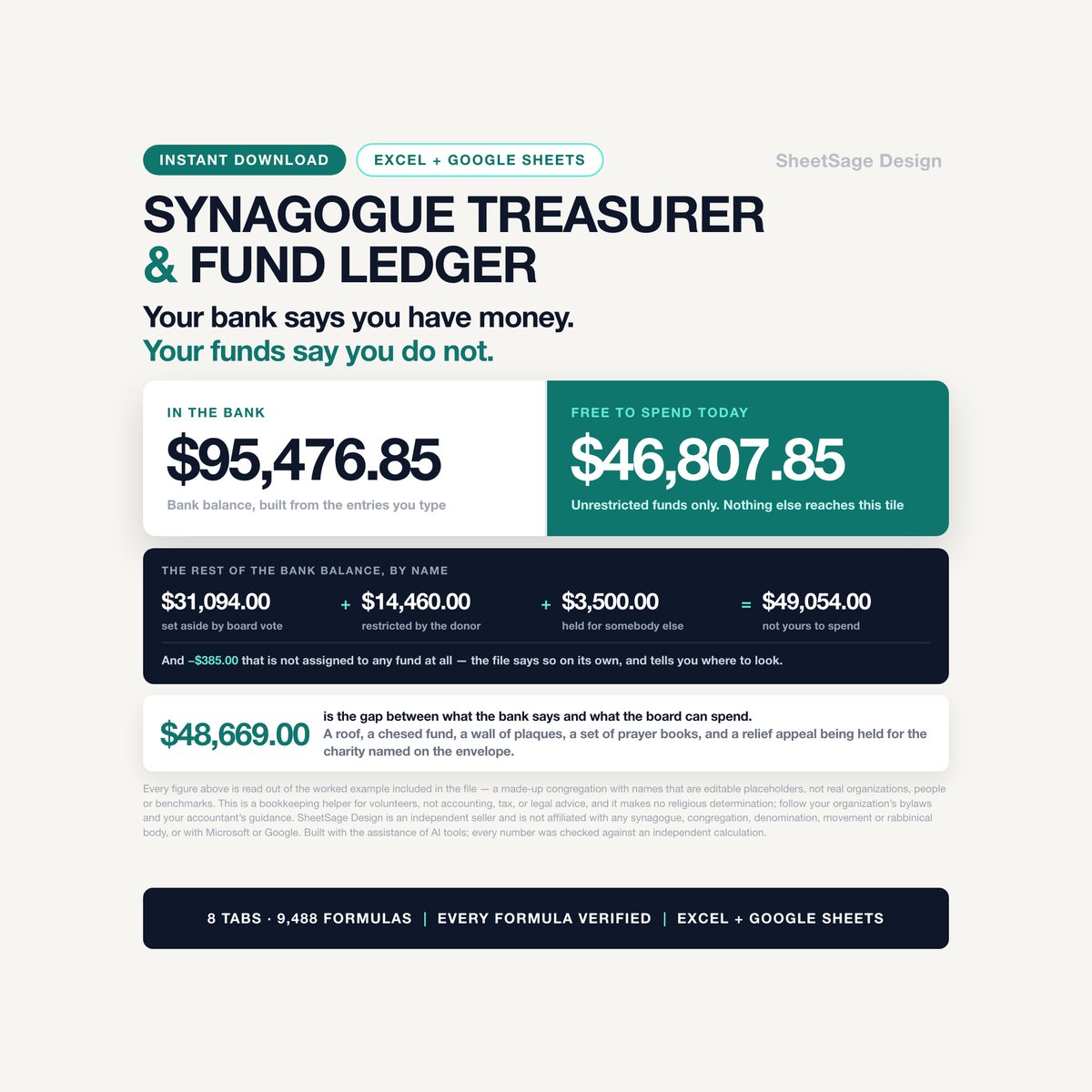
Your bank says you have money. Your funds say you do not.
$23.99 launch price (20% off $29.99) — already applied. Secure checkout by Payhip; your download link appears straight after payment and by email.
- FormatGoogle Sheets · Microsoft Excel
- DeliveryInstant digital download
- What it isOne .xlsx file · 8 tabs · 9,488 formulas
- CategoryJewish Life & Holidays
That gap is the single thing that gets volunteer treasurers into trouble, and it is the thing a plain budget spreadsheet cannot show you. In the example data that ships inside this file, the bank balance is $95,476.85 - and the amount the board is actually free to spend is $46,807.85. The other forty-eight thousand dollars is the gap between what the bank says and what the board can spend: a roof, a chesed fund, a wall of memorial plaques, a set of prayer books, a relief appeal being held for somebody else, and three more funds already spoken for - less $385.00 that is not assigned to any fund at all.
This workbook keeps those two numbers apart on every screen.
IT KNOWS THE DIFFERENCE BETWEEN RESTRICTED AND SET ASIDE
- Every fund gets a type: restricted by the donor, set aside by board vote, unrestricted, or held for somebody else. A restriction a donor put on money follows the money. A designation your board made can be undone by the same board. Those are not the same thing and this file does not treat them as the same thing.
- Only unrestricted funds reach the tile that says what you can spend today. The building fund, the chesed fund and the plaque money are shown separately, each with its own total, so you can say out loud at a meeting exactly which pot you are proposing to touch.
- A fund can carry a use-by date - the kind that comes on a security award letter or a restricted gift. When one is coming up, the row says so: USE IT WITHIN 16 DAYS - $6,810.00 is still unspent. When it has passed, the row says PAST ITS USE-BY DATE - $800.00 is still unspent.
- A fund that has paid out more than it holds says OVERSPENT BY $1,200.00. A fund somebody closed while money was still in it says CLOSED WITH $1,150.00 STILL IN IT - move it or reopen the fund. A fund that got where it was going says GOAL MET - $6,900.00 of $6,000.00. All four of those are in the example data because all four of those happen.
IT ACTUALLY RECONCILES TO THE BANK
Not "here is a column called cleared." A real reconciliation, the way it is taught:
- Type the statement date and the ending balance from your bank. One row per statement, twelve rows.
- The sheet works out your own balance on that date, then finds the deposits the bank has not shown yet and the checks nobody has cashed yet, and adjusts. March in the example year: the statement ends at $111,073.00, plus $3,200.00 of deposits not yet on the statement, minus $5,400.00 of checks nobody has cashed yet - an adjusted bank balance of $108,873.00, exactly your own balance. RECONCILED.
- When the two sides do not agree, the row says OFF BY $45.00 - find the item that is on one side only, and $45.00 is the size of the thing you are looking for. The example year has one month that does not balance, on purpose, so you can see what that looks like before it happens to you.
- There is also a two-person cash count log, because the Purim carnival cash box and the appeal envelopes are where this goes wrong. Two names, cash counted, checks counted, and the deposit slip total typed from the receipt - not from the count. When they differ, the row says by how much. When only one person signed, the row says that too.
IT WRITES THE BOARD REPORT FOR YOU
One tab. Nothing on it is typed. Twelve figures across the top - bank balance, assigned to funds, not assigned to any fund, free to spend, set aside by vote, restricted by the donor, held for somebody else, money in, money out, bottom line, gross receipts, open questions - then every fund with its balance and its question, thirteen months of money in and out with a chart, and three short lists: the funds that need a decision, the budget lines to look at, and the events to look at. Print it, or share your screen. That is the meeting.
IT TELLS YOU WHICH EVENT AND WHICH APPEAL WAS WORTH IT
- Money in, money out, and net for every dinner, carnival, campaign evening and appeal, pulled from the ledger - you never type an event total twice.
- Net against the goal you set, and net per volunteer hour, which is the number nobody calculates and everybody should. In the example data the annual dinner nets $10,030.00 on 160 volunteer hours: $62.69 an hour. The autumn appeal nets $38,480.00 on 30 hours. The children's party lost $250.00.
- Money taken in per dollar spent, ranked, so next year's committee argues from numbers instead of memory.
IT CATCHES THE THINGS YOU WOULD HAVE CAUGHT IN JUNE
Every ledger row is checked as you type it. Blank rows stay silent; a row with a problem says what it is, in plain words:
- NO FUND CHOSEN - this money is not tracked to any fund
- THIS FUND IS CLOSED
- NOT CLEARED IN 86 DAYS - call the bank or void it
- POSSIBLE REPEAT OF AN EARLIER ROW (same day, same amount, same person - and only the second one is flagged)
- CHECK NUMBER MISSING
- SECOND SIGNATURE - $12,500.00 is above the level you set
- OUTSIDE THE YEAR YOU SET - in the bank, not in this budget
And on SETUP, a quiet arithmetic check most files skip: the opening balances of all your funds are added up and compared with the opening bank balance you typed. If they are one cent apart, it says so.
WHAT IS IN THE FILE
Eight tabs, 9,488 formulas, room for a real year:
▸ START - what to do, in order, with the legend
▸ SETUP - your organization, your year, your warning levels, and the three lists everything chooses from: fund types, payment methods, and up to 32 budget categories
▸ FUNDS - 30 funds, with type, purpose, opening balance, use-by date, goal, and the question each one raises
▸ LEDGER - 800 rows. Date, in or out, fund, category, description, who, amount, how it was paid, check number, event, cleared date. Drop-downs on all of it
▸ RECONCILE - 12 bank statements and 20 two-person cash counts
▸ BUDGET - plan against actual for every category, with percent used, what is left, and which lines are over or behind
▸ EVENTS - 20 events and appeals, netted out of the ledger
▸ BOARD REPORT - the whole meeting on one tab
The example budget arrives with the categories a congregation actually runs on: dues, the autumn appeal, building fund pledges, honor pledges, plaque gifts, kiddush sponsorships, hall rental and youth fees on the way in; clergy and staff, payroll taxes, utilities, security, building maintenance, the building project, kiddush and refreshments, youth and education, chesed assistance, ritual supplies, event costs, insurance, printing, software and bank fees on the way out. Rename any of them and every other tab follows.
EVERY THRESHOLD IS A YELLOW CELL
Nothing in this file decides anything for you. You set when a budget line starts being watched, when it counts as over plan, how many days an uncashed check may sit, how far ahead of a use-by date you want warning, how low free-to-spend cash may drop, how big a payment needs a second signature, and how small a reconciliation gap you are willing to call balanced. Yellow with blue text means type here. White means the workbook worked it out.
HANDING OVER
This job changes hands every year or two, and that is when the history disappears. Send the next treasurer this one file. The board report shows every fund, what is in it, and what it is allowed to pay for. Before you hand it over: reconcile the last statement, clear or void anything still flagged as not cashed, and make sure no fund is sitting closed with money in it.
WORKS WHERE YOU ALREADY WORK
- Microsoft Excel (2016 and newer, Microsoft 365) and Google Sheets. Upload it to Drive and open with Sheets - it works, with the drop-downs and the chart intact.
- No macros, no add-ons, no subscription, no account. It is one .xlsx file.
- Every formula is a formula anyone can read: SUMIFS, COUNTIFS, INDEX and MATCH, IFERROR, EDATE, TEXT. No modern-Excel-only functions that break the moment somebody opens it in Sheets.
- Also works in LibreOffice Calc, WPS Office and Numbers, though the drop-down styling varies.
WHAT YOU GET
One .xlsx file, instantly downloadable after purchase. It arrives filled with a complete worked example - a made-up congregation with ten funds, one hundred and four ledger entries, seven events and appeals, ten bank statements and a full year of budget. Every one of those rows is marked (example) in its Notes column. Delete them, or type straight over them. Nothing else breaks.
A NOTE ON WATCH LEVELS
SETUP has two cells called gross receipts watch level 1 and watch level 2. They are pre-filled with round numbers so the tile on the board report has something to say, and the report tells you where your year sits against them. That is all it does. Set both to whatever your accountant tells you matters for your organization. This file does not decide anything about your organization's tax position or filing obligations, and does not check whether your organization qualifies for anything.
A NOTE ON WHAT THIS FILE DOES NOT TOUCH
This file does not make any religious determination. It does not decide what a gift may be used for under your community's practice, what anyone is obliged to give, or which fund anything belongs in. Those questions belong to your rabbi and your board, and this workbook is not in that conversation. What it does is add up what you typed, keep every dollar attached to the fund you attached it to, and show you where you stand.
PLEASE READ
This is a bookkeeping helper for volunteers, not accounting, tax, or legal advice. Follow your organization's bylaws and your accountant's guidance before you act on any number in this file.
SheetSage Design is an independent seller and is not affiliated with, endorsed by, or connected to any synagogue, congregation, denomination, movement, rabbinical body, or religious organization. There is no affiliation to, sponsorship by, or connection with Microsoft or Google. Excel is a trademark of Microsoft Corporation and Google Sheets is a trademark of Google LLC.
Because it is a digital download, this listing is not returnable. If something does not work, message me and I will fix it or refund you.
The formulas, structure and text in this workbook were designed and built by me with the assistance of AI tools; every number in the file was checked against an independent calculation before it was listed.
More in Jewish Life & Holidays
Jewish Holiday & Shabbat Hosting Command Center
Every planner on this page gives you a blank page to write on. This one does the arithmetic.…
B'nai Mitzvah Planner & Catering Guarantee Calculator
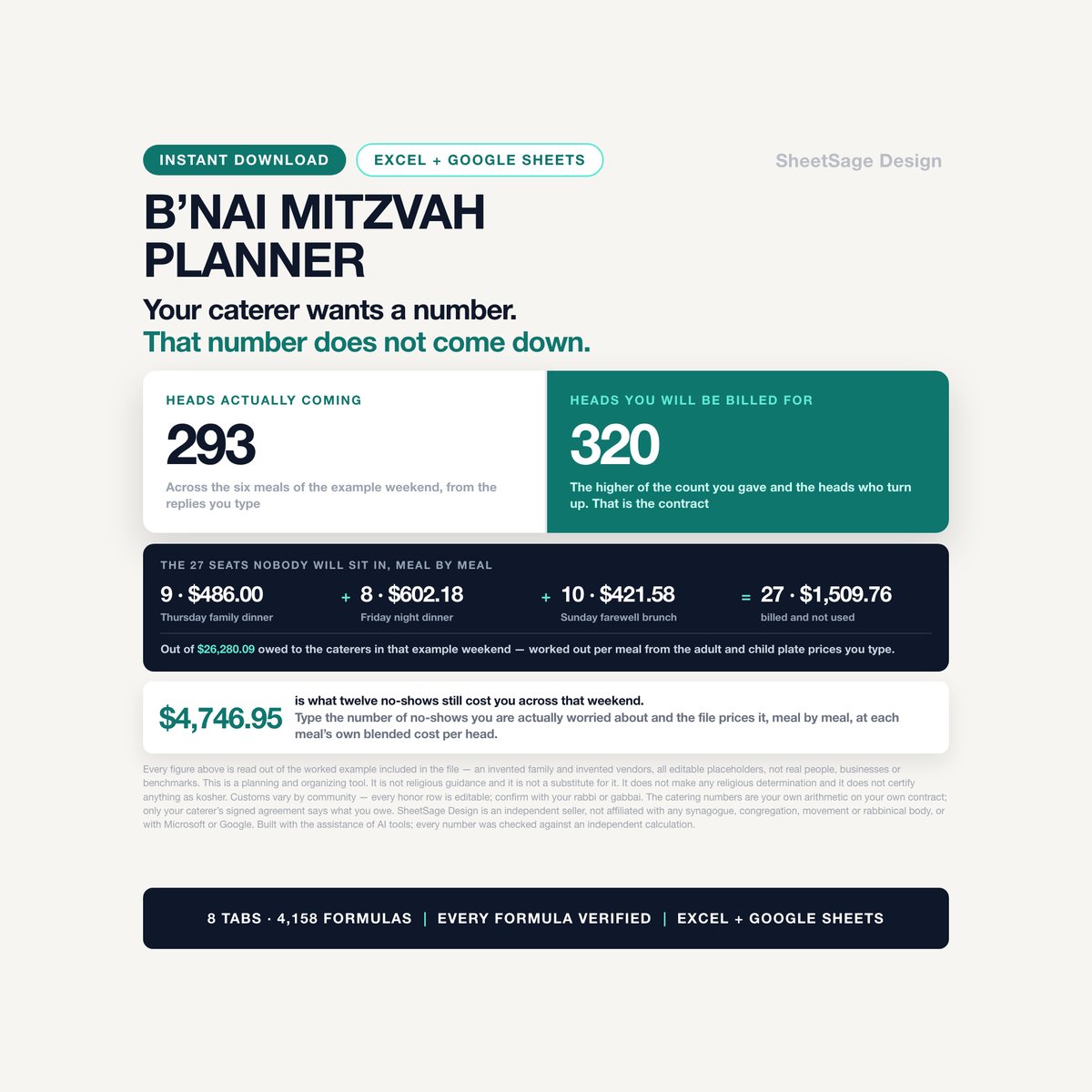
Your caterer wants a number days before the party. That number does not come down.…
Sukkot & Ushpizin Hosting Planner
Every planner on this page gives you a blank page to write on. This one does the arithmetic.…